The HubSpot pricing page makes this decision look like a price comparison, and in one sense it is. Sales Hub Starter is $7 per seat per month billed annually and Professional is $90, so the question looks like whether the features in between are worth $83 a seat.
That is rarely the part people end up regretting. The regrets tend to come from two assumptions. One is that Professional includes everything they needed, when part of it is sold in another hub. The other is that upgrading one team leaves everyone else's bill alone, which it does not. Neither shows up in the pricing table. Both are in HubSpot's own catalog, stated plainly, for anyone who reads the whole thing.
So this page compares Starter and Professional on the terms HubSpot itself publishes: seat prices, onboarding fees, the limits table in the Product and Services Catalog, and the developer documentation. Then it does the same for Professional against Enterprise, because that is the next question once the first one is settled.
We build and maintain custom HubSpot integrations, so read this knowing where we stand. We are not a HubSpot reseller, we make nothing from whichever tier you buy, and for plenty of teams Starter is the right answer and we would say so on a call. Every figure below comes from HubSpot's pricing pages, catalog, knowledge base and developer documentation as of September 2026.
In this article
1.
2.
3.
4.
5.
6.
7.
8.
9.
10.
11.
The Short Answer
Stay on Starter if HubSpot is where your team records what happened, and the process itself runs in people's heads, in email and in other tools. Starter is a real CRM with the same 1,000 custom properties per object as every tier above it, and at $7 a seat on annual billing it is hard to beat.
Move to Professional when you want HubSpot to run part of the process: enrolling records, rotating leads, sending sequences, forecasting, reporting across objects. That is what the $83 a seat buys, and for a team that needs it the price is fair.
Before you sign, know one thing. Professional does not include the two workflow actions most integrations reach for, sending a webhook and running custom code. HubSpot sells those with Data Hub Professional. If your reason for upgrading is to connect HubSpot to something else, price both hubs, not one.
What HubSpot Costs at Each Tier
HubSpot prices most hubs per seat. Marketing Hub and Data Hub are the exceptions: from Professional up, they start at a monthly platform price that includes some seats. Here are the published starting prices.
Sales Hub and Service Hub use the same seat prices. Free covers up to 2 users. Starter is $7 per seat per month billed annually, or $20 paid monthly. Professional is $90 per seat per month billed annually, or $100 monthly, plus a required one-time $1,500 Professional Onboarding fee. Enterprise is $150 per seat per month, billed annually, plus a required $3,500 onboarding fee.
Marketing Hub Starter is also $7 per seat billed annually or $20 monthly, with 1,000 marketing contacts included. Professional starts at $800 a month billed annually or $890 monthly. That includes 3 Core Seats and 2,000 marketing contacts, and adds a required $3,000 onboarding fee. Enterprise starts at $3,600 a month, with 5 Core Seats, 10,000 marketing contacts and a required $7,000 onboarding fee.
Data Hub Starter matches the other Starter prices. Professional starts at $720 a month billed annually or $800 monthly, with 1 Core Seat. Enterprise starts at $2,000 a month.
Three details in the fine print matter more than the headline numbers.
The first is the billing gap. At Starter, paying monthly costs almost three times as much per seat as committing for a year, $20 against $7. At Professional the gap is $100 against $90. If you expect to be on Starter for a year anyway, the annual commitment is the single biggest saving in this whole decision.
The second is HubSpot Credits, which pay for AI agents and some automation. Starter includes 500 a month, Professional 3,000 and Enterprise 5,000, on Sales, Service, Marketing and Content Hub. Credits reset monthly and do not roll over, and extra credits cost $0.010 each. That will not decide your tier, but it becomes a real line on the bill if you lean on the agents.
The third is marketing contacts. Only contacts marked as marketing contacts count toward the Marketing Hub bill. Once you go over your tier, HubSpot bills you immediately, and it will not lower your contact tier until your contract renews. On Marketing Hub Professional, each additional block of 5,000 marketing contacts costs $250 a month in the first band.
What Professional Actually Unlocks
Here is what the catalog shows moving between Sales Hub Starter and Sales Hub Professional. Most of the rows are about automation, reporting or structure, and none of them is about storage.
Workflows. Starter lists up to 50 workflows with restricted triggers and actions. Professional lists up to 300 fully customizable workflows. HubSpot's workflows documentation lists the full workflows tool under Professional and Enterprise, so this is the line between automating a few steps and running a process.
Sequences. Starter has none. Professional has 5,000 sequences per account and up to 500 email sends per user per day.
Reporting and forecasting. Custom reporting starts at Professional, with up to 100 custom reports and 10 million events per query. Forecasting also starts at Professional. Dashboards go from 30 to 75.
Structure. Professional adds teams (up to 10), calculated properties (up to 40), association labels (up to 50 per object pair) and custom events. Pipelines go from 15 per account to 100.
Integrations. The native Salesforce integration is Professional and above, with up to 500 field mappings per object. Workflow extensions, which let workflows trigger actions in connected apps, are also Professional and above.
Starter lets HubSpot remember everything. Professional lets HubSpot do something about it. The price difference is almost entirely the second half of that sentence.
The API changes too, and for anyone building an integration this is the easiest part to overlook. HubSpot's developer documentation gives private apps on Free and Starter 100 requests every 10 seconds and 250,000 a day. Professional gets 190 requests every 10 seconds and 625,000 a day. The API is there on every tier. What changes is how fast you can use it, and a first backfill on Starter runs against a ceiling roughly half as high.
What Professional Still Does Not Include
This is the section to read before you sign an upgrade that is really about integrations.
HubSpot's knowledge base says the Send a webhook workflow action needs Data Hub Professional or Enterprise. The Custom code action, which runs JavaScript or Python inside a workflow, has the same requirement. The catalog agrees. Webhooks, programmable automation, scheduled workflow triggers and webhook workflow triggers are all listed under Data Hub Professional. None of them appears in the Sales Hub table at any tier.
So a Sales Hub Professional workflow can trigger actions in apps that already have a HubSpot integration. That is what workflow extensions cover. What it cannot do is call your own endpoint, or anything without a marketplace app, unless Data Hub Professional is also in the account. That starts at $720 a month billed annually.
There are two limits on custom code worth knowing, because they shape what you can build with it at all. HubSpot's developer documentation says a custom code action must finish within 20 seconds and can use up to 128 MB of memory. That is fine for a lookup, a transform or a single API call. It is not a place to run a sync. Our guide to HubSpot Operations Hub, now Data Hub covers what that hub does and where teams outgrow it.
The Seat Rule That Raises Everyone's Price
This is the other part of the catalog that surprises people, and it is in the first section.
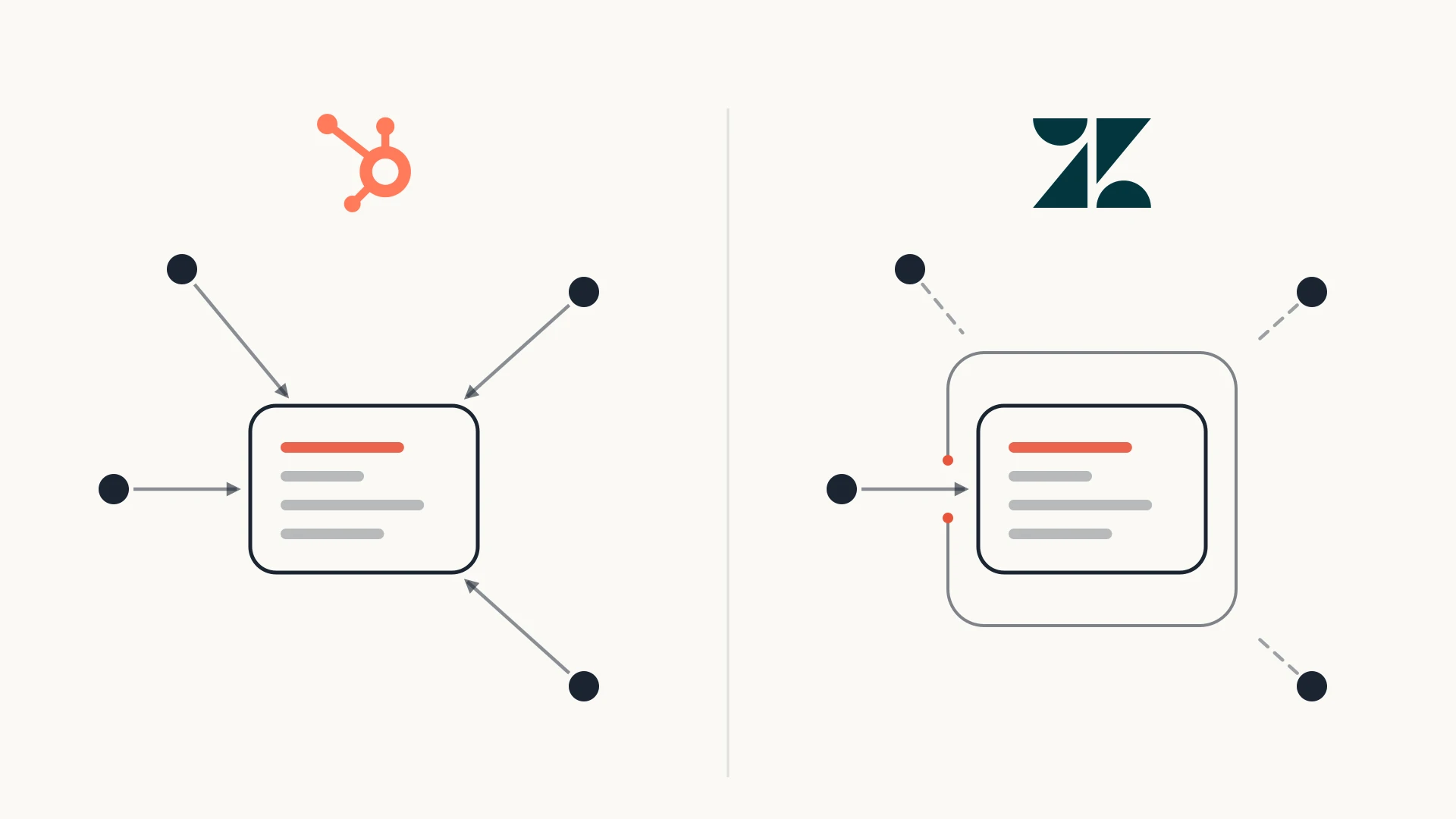
HubSpot's catalog says that if you have a mix of Starter, Professional and Enterprise products, all your Core Seats get the highest level of access across your purchased subscriptions, and are priced at that highest level too. HubSpot's own example: with Marketing Hub Professional and Sales Hub Enterprise, your highest-level subscription is Enterprise.
In practice, if marketing wants Marketing Hub Professional and sales is happy on Starter, sales does not stay at the Starter seat price. Every Core Seat moves to Professional pricing. The catalog lists additional Core Seats at $20 a month on Starter and $50 a month on Professional, on monthly list prices.
HubSpot Professional vs Enterprise
Once a team is on Professional, the next question is Enterprise, and the answer here is simpler than it looks. Enterprise is not much more of what Professional has. It is where HubSpot sells three specific things.
Custom objects. This is the big one. Custom objects appear only on Enterprise. Sales Hub Enterprise allows up to 10 object definitions and 1,000,000 custom object records, and Data Hub Enterprise allows 20 definitions and 1,500,000 records. If your business has a kind of record that is not a contact, company, deal or ticket (a subscription, a shipment, a property, a policy), this is the tier where HubSpot can hold it natively. Our guide to HubSpot custom objects covers what they are worth and what connects to them.
A safe place to test. Enterprise includes one standard sandbox. You can import up to 200,000 records per type, and workflows can enroll up to 100,000 records per day per sandbox. Professional has no standard sandbox, so workflow changes and integration tests usually run against the live account.
Governance. Field-level permissions, your own custom permission sets (Professional has permission templates only), and up to 300 teams with ways to organize them.
The limits rise as well. Enterprise gets 1,000 workflows instead of 300, 500 custom reports instead of 100, 200 calculated properties instead of 40 and 350 pipelines instead of 100. The private-app API allowance goes from 625,000 calls a day to 1,000,000. The burst limit stays at 190 requests every 10 seconds.
Professional is priced for doing more. Enterprise is priced for modelling differently. If your data fits contacts, companies and deals, you are probably shopping for the wrong tier.
Sales Hub Enterprise is $150 per seat per month billed annually, with a required $3,500 onboarding fee. For a team whose data fits the standard objects, that money is mostly buying headroom it will not use. For a team with a real custom object, it can be the cheapest way to get that data into HubSpot at all, and cheaper than building and maintaining a data model somewhere else.
What It Costs for a Five-Person Sales Team
Here is the arithmetic on HubSpot's published starting prices, for five Sales Hub seats on annual billing in year one. Your quote may differ, since HubSpot lists these as "starts at" prices, but this shows the shape.
Starter: 5 seats times $7 times 12 months is $420 for the year. Paid monthly, it would be $1,200.
Professional: 5 seats times $90 times 12 months is $5,400, plus the $1,500 onboarding fee, so $6,900 in year one. From year two it is $5,400.
Professional plus Data Hub Professional, for teams that need webhooks or custom code: add $720 times 12, which is $8,640, for $15,540 in year one before any add-ons.
Enterprise: 5 seats times $150 times 12 months is $9,000, plus $3,500 onboarding, so $12,500 in year one.
Look at the third line. For a small team, adding Data Hub Professional to get two workflow actions can cost more than the Sales Hub upgrade it was meant to finish. Sometimes that is still the right call, because Data Hub brings a lot more than webhooks. But it is worth comparing with the alternative. An integration that runs outside HubSpot and uses the API needs no particular tier to exist, only to run fast enough. Our guide to custom HubSpot integrations covers when that beats the native route and what it costs.
Upgrading HubSpot to connect it to something?
That is what the free audit is for. We look at what you are trying to connect, what your current tier already allows, and whether the cheapest route is a tier upgrade, Data Hub, a marketplace app or a small piece of code outside HubSpot. If the honest answer is that Professional covers it, we will tell you so and you will have lost half an hour. Book a free audit before you sign the upgrade.
Starter vs Professional vs Enterprise, Line by Line
| Starter | Professional | Enterprise | |
|---|---|---|---|
| Sales Hub seat price | $7/mo billed annually, $20 monthly | $90/mo billed annually, $100 monthly | $150/mo billed annually |
| Required onboarding | None | $1,500 one-time | $3,500 one-time |
| Custom properties | 1,000 per object | 1,000 per object | 1,000 per object |
| Workflows (Sales Hub) | Up to 50, restricted triggers and actions | Up to 300, fully customizable | Up to 1,000, plus workflow health monitoring |
| Sequences | Not included | 5,000 per account, 500 sends per user per day | 5,000 per account, 1,000 sends per user per day |
| Custom reports | Not included | Up to 100 | Up to 500 |
| Forecasting | Not included | Included | Included, across team hierarchies |
| Teams | Not included | Up to 10 | Up to 300, with ways to organize them |
| Calculated properties | Not included | 40 | 200 |
| Pipelines | 15 per account | 100 per account | 350 per account |
| Native Salesforce integration | Not included | Up to 500 field mappings per object | Up to 500 field mappings per object |
| Custom objects | Not included | Not included | Up to 10 definitions and 1,000,000 records |
| Sandbox | Not included | Not included | One standard sandbox |
| Private app API limits | 100 per 10 seconds, 250,000 per day | 190 per 10 seconds, 625,000 per day | 190 per 10 seconds, 1,000,000 per day |
| Webhooks and custom code in workflows | Data Hub Professional required | Data Hub Professional required | Data Hub Professional required |
Which Tier to Buy
A small team that needs a real CRM, email tracking, meeting links and simple automation, and does not need HubSpot to enroll, rotate or sequence anything on its own. You get the same 1,000 properties per object as every other tier. Commit annually, because the monthly price is almost three times higher.
You need customizable workflows, sequences, forecasting, custom reports or teams, and your data fits contacts, companies, deals and tickets. Budget for the $1,500 onboarding fee, check how the seat rule affects every other hub in the account, and price Data Hub Professional as well if your plan depends on webhooks or custom code.
Custom objects, a sandbox to test changes and integrations away from production, field-level permissions and custom permission sets. It is priced for companies whose data model or governance needs genuinely require it, and it is usually overkill for anyone else.
Three questions settle this faster than the feature grid.
Does HubSpot need to act, or just remember? If the answer is remember, Starter holds everything Professional holds. If the answer is act, count the workflows you would build. More than a handful, or anything with branching, means Professional.
Is the upgrade really about connecting another system? If the plan ends with HubSpot calling something outside itself, check whether that step needs a webhook or custom code. If it does, you are pricing Data Hub Professional too, or an integration that lives outside HubSpot.
What happens to every other hub's seats? List every hub in the account and its tier today. If this upgrade makes one of them the highest tier in the account, every Core Seat moves with it.
The Bottom Line
The usual framing, that Starter is for small teams and Professional is for growing ones, is not wrong. It is just not the part that costs money. Plenty of small teams need workflows, and plenty of large teams are fine recording activity and running the process elsewhere.
What survives an actual implementation is simpler. Starter and Professional store the same amount. Professional adds the automation, reporting and structure that let HubSpot run the process, for $83 a seat a month and $1,500 once. It does not add webhooks or custom code, which sit in Data Hub. And mixing tiers moves every Core Seat to the highest one.
Enterprise is a different kind of purchase. It is where custom objects, a sandbox and field-level permissions live. If you do not need a new kind of record, it is rarely where your money should go.
So before you upgrade, write down the three things you want HubSpot to do that it does not do today. For each one, find its row in the catalog. If any of them turns out to be a webhook, custom code or a new object type, the tier you are about to buy is not the one that unlocks it. It is much cheaper to find that out now than after onboarding.