Every comparison of these two opens with a pricing table, and every pricing table is wrong in the same way. It puts Zapier's cost per task next to Make's cost per operation as though those were the same unit being sold at two prices.
They are not the same unit. They are not close, they are not converted by any published ratio, and the difference is large enough that the same workflow can consume twice as many units on one platform as the other while still costing a fraction as much to run.
So this page starts with the meter. Once you can convert between the two, the price question answers itself quickly and somewhat boringly, and you can spend your attention on the four or five differences that are genuinely worth deciding on.
We build and maintain custom HubSpot integrations for a living, which means we sell something neither of these is, and we should say so before anything else. For most of what you would put in either tool, either tool is the right answer and hiring us would be a waste of your money. This is not a page about why you need a developer.
In this article
1.
2.
3.
4.
5.
6.
7.
8.
9.
10.
11.
The Short Answer
Make is cheaper. Considerably cheaper, on nearly any realistic workload, and the per-unit gap is wide enough that Make's stingier metering does not close it.
If the monthly bill is what you are optimising, stop reading and switch. The rest of this page is for the case where the bill is not the constraint, which is most cases at small volume, because $20 and $9 are the same number in any budget that matters.
What you are actually choosing between is a platform that bills you for writes and gives you transformation for free, against a platform that bills you for everything and gives you real error handling for free. Zapier is easier to read and keeps twice as much history. Make is cheaper, faster to schedule and structurally better at failing.
The Two Meters Are Not Comparable Units
Here are both definitions from the vendors, side by side, because almost nobody puts them next to each other.
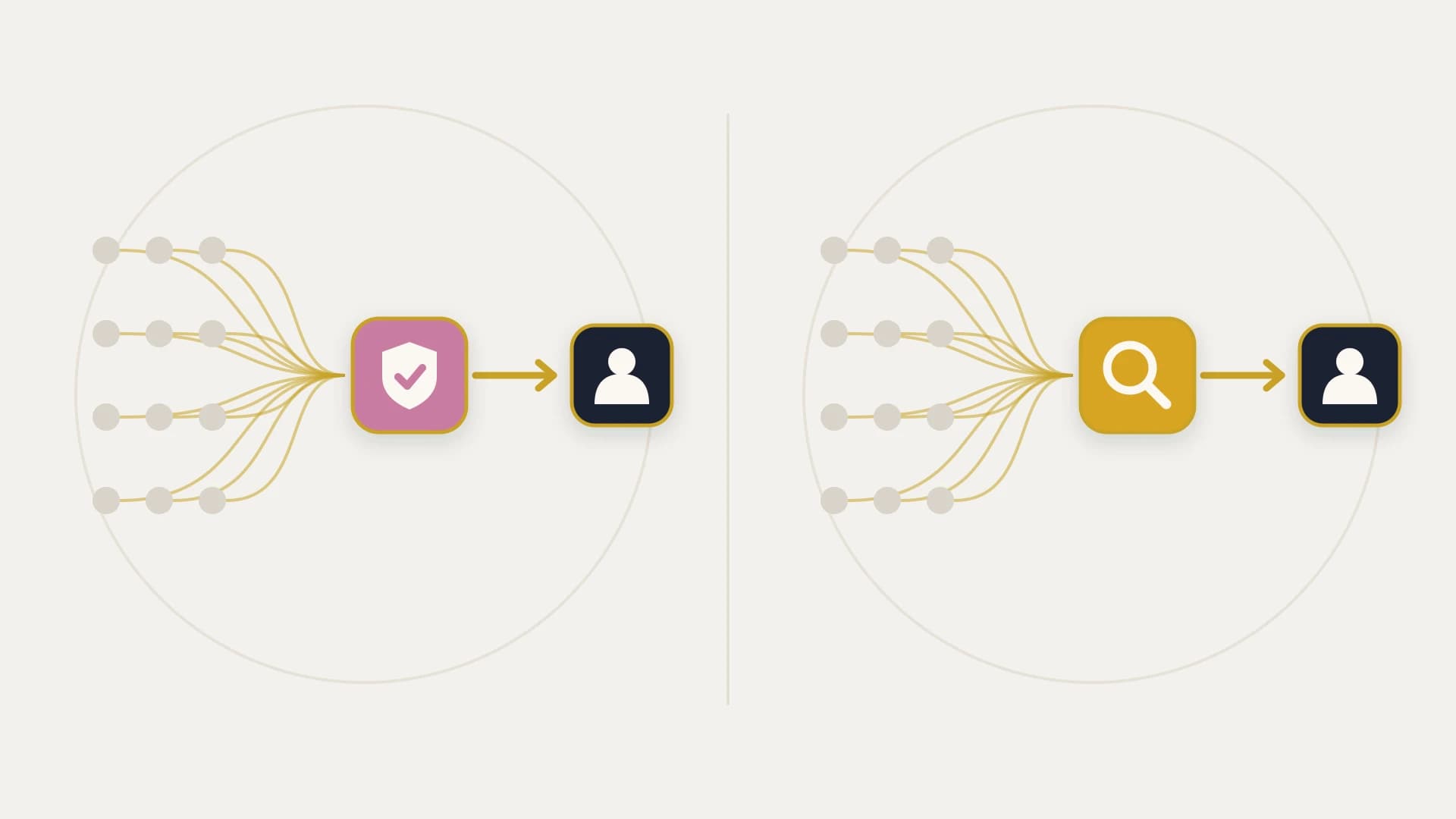
Zapier counts a task each time an action step runs successfully, which Zapier describes as whenever it successfully completes a unit of work for you. Failed actions do not count. Triggers do not count. Polling for new data does not count. And a long list of built-in tools does not count: Formatter, Paths, Filter, Delay, Looping, Sub-Zap, Digest, Zapier Manager, Storage, Tables and Forms. Filter, Formatter and Paths were moved out of task counting in 2026.
Make counts a credit, its current name for an operation, for each module action in the scenario. That covers reading, searching, creating, updating and deleting data, transforming data with built-in tools, and aggregating or iterating rows. Only error handlers (Rollback, Break, Resume, Commit and Ignore) and Router modules are exempt.
Read those three cards together and the shape of the difference is already clear. Zapier's bill is driven almost entirely by how many things you write. Make's bill is driven by how many steps you have and how many records go through them.
That second multiplier is the one that surprises people, and it is not hidden. Make documents that modules process each bundle separately, so each bundle triggers its own module run. Trigger modules are the stated exception, counting once per check regardless of how many bundles they return.
The Arithmetic on One Real Workflow
Abstractions are useless here, so take a concrete job of the kind this site exists for.
A deal moves to Closed Won in HubSpot. Pull its line items, twelve of them on this deal. Reformat each amount. Write each one into an accounting system. Post one summary message to Slack.
| Step | Zapier | Make |
|---|---|---|
| Trigger on the deal stage change | 0 | 1 |
| Filter to Closed Won only | 0 | 0 |
| Find the line items | 1 | 1 |
| Split the twelve items | 0 (Looping) | 1 (Iterator) |
| Reformat each amount | 0 (Formatter) | 12 |
| Create each accounting row | 12 | 12 |
| Post one Slack summary | 1 | 1 |
| Total per run | 14 tasks | 28 credits |
Two things fall out of that table and they point in opposite directions.
The first is that Make used exactly twice the units for identical work. Every unit of that difference sits in the two rows where Zapier's built-in tools are free and Make's are billed per record.
The second is that it did not matter. Zapier Professional starts at $19.99 a month billed annually for 750 tasks, which is about 2.7 cents a task, so that run costs roughly 37 cents. Make Core is $9 a month at 10,000 credits, which is about a tenth of a cent, so the same run costs roughly 2.5 cents.
This is the honest finding, and it is the opposite of the article most people expect to read here. The per-bundle multiplier is real, it is worth understanding, and it is not a gotcha that reverses the price comparison. It narrows a gap that was never close.
Where the Multiplier Actually Bites
There is a case where it matters, and it is worth knowing whether you are in it.
Change one number in the table above. Instead of twelve line items, make it five hundred, on a scenario that runs daily.
Zapier: one search, five hundred writes, one Slack message. About 502 tasks per run, roughly 15,000 a month.
Make: one trigger, one search, one iterator, five hundred transformations, five hundred writes, one message. About 1,004 credits per run, roughly 30,000 a month.
The counts are still exactly double, which is the point: the ratio is a property of your scenario's shape, not of its volume. What changes at scale is that you are now shopping on the slider rather than at the entry rung, and you land on a Make tier sized for roughly twice the units. Make's slider runs from 10,000 credits to over eight million, and Zapier's task tiers run to two million.
The rule of thumb worth taking away is simple. Count the steps that sit downstream of an iterator or a search that returns many records. Every one of those is multiplied by the record count on Make and is either free or single-counted on Zapier. If your scenarios are mostly one record in and one record out, the multiplier never appears and Make's advantage is the full rate card difference. If your scenarios fan out heavily, budget for roughly double the units, and then check whether that still lands cheaper. It usually does.
Where Make Wins Outright
Price is the obvious one and it is already covered. These are the three that are less discussed and, for some teams, decide it.
Make's genuine advantages
One minute scheduling at the bottom of the price list. Make's minimum scheduling interval is 15 minutes on Free and one minute on every paid plan, starting at Core. Zapier's polling frequency is 15 minutes on Free, two minutes on Professional and one minute only on Team. So the same responsiveness costs $9 on one platform and $69 on the other. If your workflow is latency sensitive and you were about to upgrade Zapier for that reason alone, this is the entire comparison.
Error handling is a first-class feature and it is free to run. Make gives you explicit error handler routes with directives (Rollback, Break, Resume, Commit and Ignore) and none of them consume credits. That is a materially better failure model than a retry loop, and Break in particular lets a failed bundle be parked and retried later rather than lost or replayed blindly. Zapier's equivalent is autoreplay, available on Professional and above.
The free tier is a real tier. Make Free carries 1,000 credits and full scenarios. Zapier Free carries 100 tasks and is limited to two-step Zaps, which rules out essentially every workflow with a filter or a lookup in it. If you are evaluating, you can actually evaluate Make.
The canvas shows you the data. This is taste rather than fact, but the visual builder makes the shape of a scenario legible in a way a vertical list does not, particularly once routers are involved. If you think in diagrams, Make will feel like the better tool within an hour.
Where Zapier Wins Outright
And the mirror image, which is shorter but not weaker.
Zapier's genuine advantages
The entire built-in toolset is free. Formatter, Paths, Filter, Delay, Looping, Sub-Zap, Digest, Storage, Tables and Forms all run without consuming tasks. The practical effect is that the shape of a Zap barely affects the bill, so you are never quietly penalised for building something carefully. Adding a filter that prevents bad writes costs nothing, which is the correct incentive and the opposite of what per-module billing encourages.
Twice the history on paid plans. Zapier states it can guarantee a maximum of 60 days of Zap run data and will display up to 10,000 runs. Make lists 7 days on Free, 30 days on Core, Pro and Teams, and 60 days only on Enterprise. Retention is the least exciting row on any comparison table and one of the most consequential, because the evidence has to outlive the discovery.
It is easier to inherit. A vertical list of steps can be read by the next person. A large scenario with nested iterators and several router branches is a system, and systems need documentation that nobody writes. If the automation will outlive whoever built it, and it will, legibility is an operational feature.
Versioning and audit on the team plans. Zapier lists versions at one month on Professional, six months on Team and a year on Enterprise, with an audit log at six months on Team. Make's comparable governance features arrive higher up the ladder, with custom variables and full-text log search from Pro and teams and roles from Teams.
Zapier vs Make, Line by Line
Core at $9 against Professional at $19.99, with a per-unit price roughly a thirtieth of Zapier's. Even after the per-bundle multiplier doubles your unit count, the run costs about a fifteenth as much. There is no realistic workload where the metering difference makes Zapier the cheaper platform.
Formatting, filtering, branching, looping and delays are all free on Zapier and mostly billed per record on Make. This does not usually flip the price, but it does flip the incentive: on Make, every defensive step you add has a running cost, and that is a bad thing to feel while designing a workflow that writes to a CRM.
One minute is the minimum interval on every paid Make plan starting at $9. On Zapier it requires Team at $69, since Professional stops at two minutes. If latency is your reason for considering an upgrade, this single row is worth more than the rest of the comparison.
60 days of guaranteed history against 30 on a paid Make plan. Whether that gap matters depends entirely on how quickly your organisation notices a bad number, and the honest answer for most finance-adjacent data is that it does not notice quickly.
What Neither Meter Prices
Both platforms bill for work attempted. Neither bills for, or catches, a run that completed successfully with the wrong value in it, and that is the failure that costs real money.
A retry is the safety net in both products, and retrying does not undo the half of a run that already succeeded. If a scenario writes an invoice line, then fails before writing the next four, both platforms will happily replay the whole thing and you now have one line twice. Make's Break and Rollback directives give you real tools to handle this, which is a genuine advantage, but they are tools you have to design with rather than protection you receive by default.
Both meters price the work you asked for. Neither one prices a wrong number arriving in a system people trust, which is the only failure with a cost attached.
The other thing neither one solves is the question underneath every integration, which is which system owns a disputed field. When a price lives on a deal, a quote and an invoice, three systems hold a number and nothing arbitrates between them. No platform decides that for you, and our data mapping guide covers why it surfaces in week two of every project regardless of tooling.
If those two paragraphs describe something load bearing in your business, the tool choice is not the decision in front of you. StackTie vs Zapier works through where that line actually falls, and Zapier alternatives sorts the wider field by what each option genuinely changes: the bill, the ceiling, or who owns the thing when it breaks. If a broken run means somebody misses a notification, leave it in whichever of these two you prefer.
Want to know which of your automations should not be in either tool?
A senior developer on subscription: $2,995 a month, as many requests as you like, each shipped within 2 business days, and your money back if the first 14 days don’t prove it.
Which One to Pick
The decision collapses to three questions, in this order.
Is the bill actually a problem? If you are spending $20 a month, no, and the hours spent migrating working automations are worth more than the saving. Stay where you are. If you are spending several hundred, Make will likely halve it or better even after the unit multiplier, and the migration pays for itself.
Do your scenarios fan out? Count the steps downstream of an iterator or a multi-record search. That number times your record count is your Make bill, and it is the only figure that makes the two rate cards comparable. Most teams land between 1.2x and 3x Zapier's unit count and still come out well ahead on price.
Who maintains it in two years? This is the one that gets skipped and the one that decides how the choice feels later. Make is more capable and more expressive, and a large scenario is genuinely a system that needs an owner. Zapier is more constrained and more legible, which is a real feature when the builder has moved on and the person holding it has never seen the tool before.
The Bottom Line
On price, Make wins, and the per-bundle multiplier that most comparisons present as a hidden catch narrows the gap without closing it. Twice the units at a thirtieth of the price is still a much smaller bill, and anyone telling you the metering difference reverses the comparison has not done the arithmetic.
What that leaves is a genuine trade rather than a winner. Make gives you a better failure model, one minute scheduling at the bottom of the price list, and a canvas that shows you what is happening. Zapier gives you free transformation, twice the retained history, and a workflow the next person can read without a handover.
Pick on those, not on the rate card, because the rate card difference at small volume is smaller than the time you will spend choosing. And whichever you pick, draw one boundary deliberately: keep the thirty small automations in the no-code tool where they belong, and treat anything that writes to a number your business acts on as a different category of problem with a different kind of answer.