Quick summary
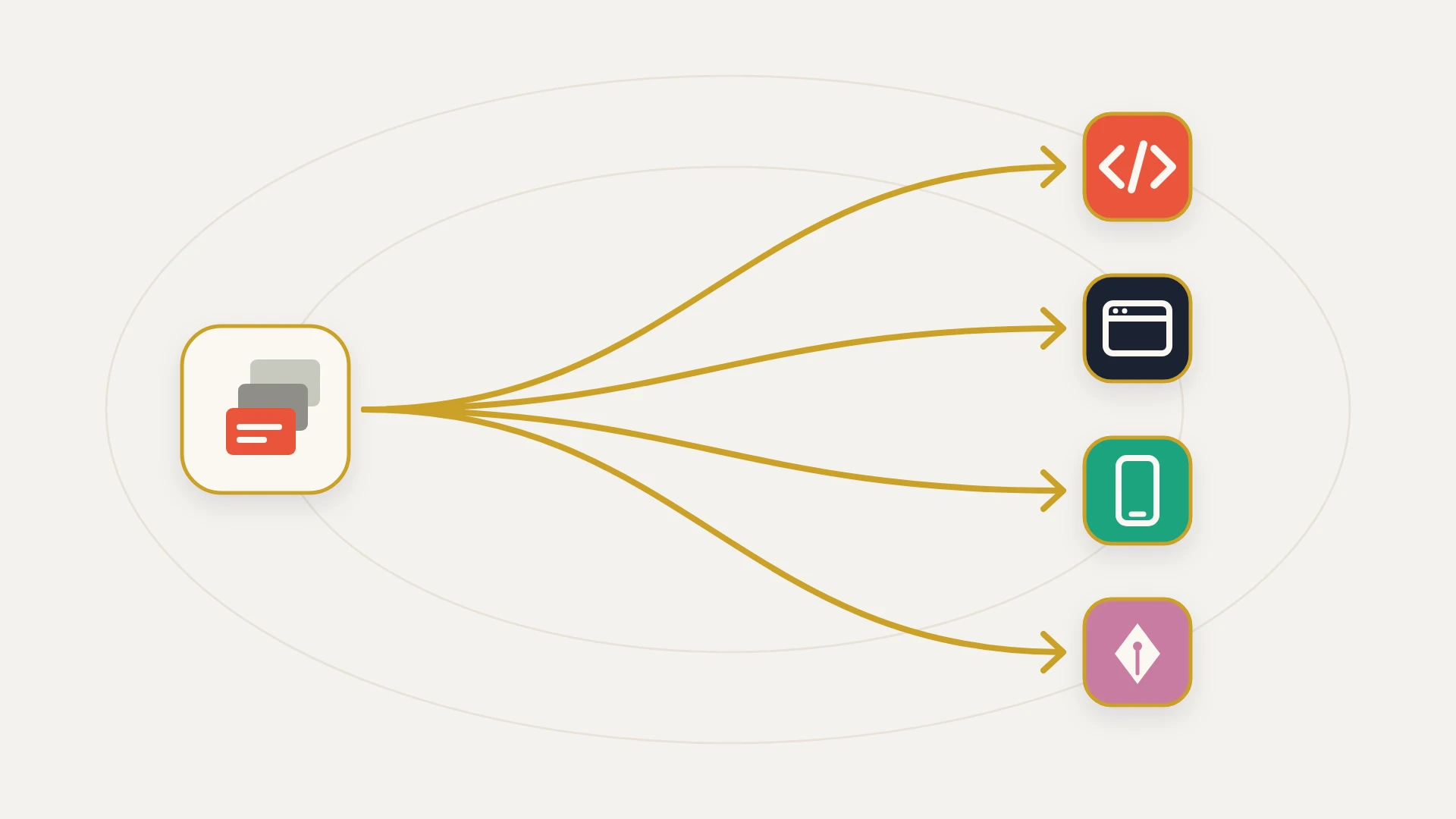
The short answer: the best Fivetran alternative depends on which part of Fivetran is the problem. If it is the bill, Airbyte, Stitch and Estuary move the same data on a different meter.
If it is the vendor: self-host Airbyte Core or run dlt. The software is free and the operations are yours.
If it is the warehouse copy: a round trip that lands rows only to write a value back into HubSpot is an integration problem, not a pipeline one.
Before you switch: audit the schema and block the tables nobody queries. Fivetran counts a distinct row once per calendar month, however many times it changes.
Nobody goes looking for Fivetran alternatives because the pipelines stopped working. They work, which is most of what you are paying for. People go looking because an invoice moved and the business did not, and the gap between those two facts is uncomfortable to explain to whoever signs it.
That origin decides which alternatives are real. If the bill jumped because somebody ran a backfill, then moving to a different vendor with a different meter may make it worse rather than better, and you will not find that out until the following month. So the useful order is to understand precisely what your current meter counts, then ask which alternatives change that, and only then look at a vendor page.
This is the data-movement version of a question this site has covered on the automation side. If what you are actually shopping for is workflow automation rather than replication, Workato alternatives and Zapier alternatives cover those tiers properly and this post will point you there rather than repeat them.
In this article
1.
2.
3.
4.
5.
6.
7.
8.
9.
10.
11.
Fivetran Alternatives: The Short Answer
Nearly every list of Fivetran alternatives you will find is entirely the first column, and most of them are published by vendors in that column. That is not dishonest, but it is a narrow frame, and it quietly assumes a pipeline is the correct shape and only the supplier is in question.
First, What Fivetran Actually Charges You For
Fivetran bills on monthly active rows. The documentation is unusually precise about this and it is worth reading slowly, because the precision is where the surprises live.
Counted: inserts and updates, including deletes. Not counted: unchanged rows retrieved during a sync, and the initial bulk load when you first set a connector up. On top of that, some re-syncs are explicitly free, namely historical data from adding a column, unchanged rows in re-import tables, and post-trial MAR that was already seen during the trial. A $5 base charge applies to connections running between 1 and 1M MAR, which does not apply on the Free plan, and the Free plan itself covers 500,000 MAR for connections.
Then there is the rule that decides everything downstream.
We only count a row once per month, even if it syncs multiple times. It doesn't matter how many times a row is updated in a month; you don't pay multiple times for updates on the same row in the same month.
Read that as a design decision rather than a discount, because it cuts both ways and almost every article about Fivetran pricing only reports the favourable half.
The generous half
Sync frequency is almost free. If a contact record changes forty times in March, you are charged for one active row in March. This is genuinely unusual and it is the opposite of how per-run automation platforms behave, where what counts as a single run is the entire cost conversation. Under MAR, running a connector every fifteen minutes rather than every twenty-four hours costs approximately nothing, which is why Fivetran can afford to put 15-minute syncs on the Free plan and reserve 1-minute syncs for Enterprise without that being a billing lever.
The ruthless half
The meter does not care how often things change. It cares how many separate records get touched. And the events that touch an enormous number of distinct records exactly once are not growth events, they are admin.
This is the arithmetic to run before you shop, and it takes minutes rather than days.
The HubSpot Problem Fivetran Documents Itself
Here is the part that makes this specific rather than general, and the most useful thing to know before comparing anyone. Fivetran maintains a dedicated page on managing MAR for HubSpot, and the explanation it gives is not about your data at all.
Our HubSpot connector re-syncs several tables every day because the HubSpot API does not offer a mechanism to capture deletes.
Sit with the implications. Deletes have to be counted, because a row that vanished is a change. HubSpot's API does not report them. So the only way to know a record has gone is to re-read the table and notice its absence, which means the connector re-syncs daily whether or not anything happened. A limitation in somebody else's API therefore arrives on your invoice, and there is no configuration on either side that removes it.
Fivetran flags two more HubSpot-specific drivers in the same place. CONTACT_PROPERTY_HISTORY typically contributes to higher MAR because of its size, and a full re-sync of the COMPANY table due to source side limitations may also raise it.
The property history table deserves particular attention, because its shape is different from everything around it. Other tables hold a row per record. Property history holds a row per property change per record, so it grows with how actively your team works the CRM rather than with how many customers you have. A portal where marketing operations is genuinely busy generates property history far out of proportion to its contact count, and a portal running lifecycle automation across the whole database generates it faster still.
Tier One: A Different Unit, The Same Arrangement
These are the alternatives every list leads with. They are capable products and some are dramatically cheaper for specific data shapes, but be clear about what does not change: a vendor runs the pipeline, you configure it, and the fee recurs and scales with volume.
Airbyte
The most direct competitor and the one with the most genuinely different meter. Credits are consumed on millions of rows for API sources and gigabytes for databases and files, and crucially rows are charged every time they move, not once per month. Incremental syncs charge the rows added, edited or deleted; a full refresh charges every row synced. Standard starts at $20 a month with 5 credits included and extra credits at $5 each, Plus starts at $189 a month and runs up to 2,000 credits at $4,999, and Pro and Enterprise Flex move to capacity-based pricing on dedicated compute units. There is a 30-day trial with 400 credits, which Airbyte values at $2,000 of usage. Airbyte publishes a worked comparison in which 50M API rows plus 50GB of database and file data costs $1,250 against $4,445 under a MAR model. That is a useful illustration of the mechanics, and it is also a vendor doing arithmetic on a scenario it selected, so treat the direction as real and the ratio as marketing.
Stitch
Now part of Qlik by way of the Talend acquisition, and the one vendor here that sells you a straightforward band of rows. Standard starts at $100 a month covering a selectable 5 to 300 million rows a month, with 1 destination, 10 standard sources and 5 users. Read the rest of the table carefully, because it does something counterintuitive: Advanced is $1,500 a month billed annually but covers only 100 million rows, fewer than a fully configured Standard plan. The higher tier is selling enterprise sources, destinations, users and compliance, not volume, and a team that upgrades expecting headroom will find it bought the opposite. Premium is $3,000 a month for 1 billion rows.
Estuary
Notable mostly for publishing real numbers in a category that does not. $0.50 per GB plus $100 per connector instance monthly, with the first 6 connector instances at $100 and additional ones at $50, and a free Developer tier covering 10GB a month and 2 concurrent connectors. Charging per connector as a named line item is honest in a way volume-only pricing is not, because it makes the cost of an idle, low-value source visible rather than burying it inside a total.
Matillion, Rivery and the rest
Several established vendors sit in this tier with credit or consumption models of their own. The evaluation question is identical for all of them and is worth writing on one line before any demo: what is the unit, when is it counted, and which of my normal operational events produce a lot of that unit at once?
Tier Two: Run It Yourself
Airbyte Core is open source and free to self-host, and dlt and Meltano occupy the same ground with different philosophies. For a short, stable list of sources this is a real option rather than a theoretical one, and the software cost genuinely does go to zero.
What replaces it is attention. You own the compute, the version upgrades, the credential rotation, the alerting, and the morning when an upstream API changed and the connector quietly started returning fewer rows. That last one is the risk that matters, because a pipeline that fails loudly gets fixed and a pipeline that succeeds with incomplete data does not, and nobody notices until a report is wrong in a meeting.
Weigh it honestly. Self-hosting is not free, it is an exchange of a predictable invoice for unpredictable attention, and it is a good trade exactly when your source list is short, stable, and staffed by people who would notice.
Tier Three: No Pipeline At All
The option missing from every vendor-published list is that the copy may not need to exist.
There are two versions of this and they solve different halves of the problem.
The native share you may already own
If you hold Data Hub Enterprise, HubSpot's own Snowflake Data Share moves HubSpot data into Snowflake with no API quota consumed and no replication vendor in the path. Where it stops, what it covers, and how it compares to reverse ETL and a custom build is covered properly in the HubSpot Snowflake integration guide, so it is not repeated here. The point for this post is narrow and worth checking before you price anything: some teams are paying a pipeline vendor to replicate data they already have the right to receive for free.
The round trip that should never have been a pipeline
The second version applies more widely, and it starts with a question the category never asks. Is the warehouse the destination, or a waypoint?
If you are modelling, joining HubSpot against product and finance data, and reporting on the result, the warehouse is genuinely the destination and a pipeline is the correct purchase. Keep it.
But a large share of what sits on pipelines is not that. It is a value computed somewhere and written back where it came from: a score calculated nightly and pushed onto a contact, an enrichment that lands in the warehouse and bounces back, a billing status that has to appear on a company record, an operational sync that ended up on a pipeline because a pipeline was already there. Every one of those is two metered crossings and a scheduling delay in service of something a direct integration does once, in seconds, with no copy in between.
What you gain by building the crossing directly
- No per-row meter, so tidying the CRM stops being a billable event
- The value arrives in seconds rather than at the next scheduled run
- Logic written for your business rather than assembled from generic connector behaviour
- No warehouse copy to keep in step, reconcile, or explain when it disagrees
- Cost is fixed rather than scaling with record count
- Source control, real testing and a deployment process
What you give up
- No catalogue of prebuilt sources for the next system you add
- Schema drift is your problem, not a vendor's feature
- Somebody has to maintain it, which is a real cost and not zero
- Wrong shape entirely if the warehouse genuinely is the destination
- No vendor support line to escalate to
- Poor fit if your source list is long and changing
The HubSpot Version of This Question
Most teams arriving here are not running a fifteen-source data platform. They are running HubSpot plus an ERP or accounting system, a billing system, a support tool, and a warehouse that mainly exists because somebody needed to join two of those together.
That shape is exactly where the arithmetic turns, and the sequence to work through is short.
- 1
Audit the schema before you audit the vendors
List every table your connectors replicate and find out who queries each one. Block the rest. On any row or volume meter an unread table is a recurring charge for nothing, and this single step resolves more bill complaints than any migration.
- 2
Separate analytical needs from operational ones
Analytical means someone queries it to answer a question. Operational means a value has to arrive in a system so a person or a process can act on it. Pipelines are built for the first. A great deal of what rides on them is the second.
- 3
Check whether HubSpot already gives you the analytical half
Data Hub Enterprise includes the Snowflake Data Share. If you are paying for that tier and also paying to replicate the same data, that is worth an hour of somebody's time to confirm.
- 4
Price the round trips separately
For each thing that lands in the warehouse only to be written back, price it as an integration rather than as pipeline volume. This is where the comparison usually stops being close, because a round trip pays twice for a crossing that should have happened once.
- 5
Only then compare meters
With the estate trimmed and the round trips pulled out, take what genuinely remains and model it against each vendor's unit using your own last three months. Not a vendor's example.
Which One Fits: An Honest Split
If you are pulling from a dozen or more systems, the list changes, and the data is being modelled and reported rather than bounced back, Fivetran is doing a job the alternatives do worse. Optimise instead of migrating: block unused tables, look hard at the property history tables, and use the free re-syncs. The Free plan's 500,000 MAR also makes it cheap to keep a marginal source running rather than cutting it.
Large volumes moved on a slow schedule fit Airbyte's per-row-moved model. A predictable, bounded row count fits Stitch's bands, provided you read the tier table and notice that Advanced covers fewer rows than a configured Standard. A small number of heavy sources fits Estuary's per-gigabyte-plus-per-connector pricing, which at least shows you what each source costs.
Airbyte Core, dlt or Meltano remove the vendor entirely. Be honest about the second half of that sentence: the risk is not a pipeline that breaks, it is one that succeeds with less data than yesterday. If nobody owns that, the saving is borrowed against a future bad report.
Scores, enrichment, billing status and anything else computed in one place and written back to another does not need a metered copy in the middle. Build the crossing directly, keep a pipeline only for what is genuinely analytical, and the row meter stops being the thing that decides how often you are allowed to tidy your CRM.
What No Alternative Solves
Every option above moves rows. None of them knows what the rows mean, and that is where these projects actually go wrong.
A replicated table is a copy, and a copy has two properties nobody writes down: it is always slightly out of date, and it has no idea which of its columns are authoritative. In HubSpot both problems are acute, because a portal of any age contains properties that look identical and are not. There is the field the form writes, the field the sales team edits by hand, the field an old workflow still stamps, and the enrichment field that overwrites one of them on a schedule nobody remembers configuring. In the CRM the disagreement between them is visible to a human who knows the history. In the warehouse they are four columns of equal standing, and whoever writes the query picks one.
This is why the failure mode of a data stack is rarely an outage. It is a number in a dashboard that disagrees with the number in HubSpot, nobody being able to say which is right, and the reporting quietly losing authority over the following months. Switching pipeline vendors does not touch it. The new vendor replicates the same ambiguity, faster or cheaper.
Write these down before you move or rebuild anything
Which property is authoritative, per field. Where several properties describe the same fact, which one a report should use and why. This is field-level, not object-level, and the data mapping guide covers how it gets recorded in practice.
Acceptable staleness, per table. Not "as fresh as possible" but the actual tolerance. Most tables tolerate a day comfortably, a few tolerate nothing, and knowing which is which is the difference between a sensible schedule and paying for frequency nobody can use.
What is deliberately excluded. Every table, object and record type kept out of the warehouse on purpose, and the reason. Exclusions look like oversights to whoever rebuilds the estate, and they get helpfully added back along with their volume.
Who consumes each table. A named person or dashboard per replicated table. Anything without one is a candidate for blocking, and the block list is how this project gets small enough to be worth doing.
What writes back, and on what trigger. Every value that leaves the warehouse and lands in an operational system, with the schedule it runs on. This list is the one that tells you how much of your pipeline bill is really an integration bill.
Paying twice for a crossing that should happen once?
A senior developer on subscription: $2,995 a month, as many requests as you like, each shipped within 2 business days, and your money back if the first 14 days don’t prove it.
The Bottom Line
Sort these options by what changes, not by who ranks for the term.
Changing the unit changes the arithmetic, not the arrangement. Airbyte charges rows every time they move, Stitch sells bands, Estuary charges per gigabyte and per connector, and which of those is cheapest is decided by the shape of your data rather than by anything intrinsic to the vendors. Model it on your own last three months, because every published comparison was written by someone who picked the example.
Changing the operator removes the invoice and adds a responsibility. Airbyte Core, dlt and Meltano are free software and real work, and the risk you take on is not the pipeline that stops, it is the one that keeps running with less data than yesterday.
Removing the pipeline changes whether the copy needs to exist. For the analytical half it does, and you should keep paying for it. For the operational half, where a value is computed in one place only to be written back to another, the warehouse is a toll booth in the middle of a journey that should have been direct.
And before any of it, work out what your meter is counting. Under monthly active rows the answer is distinct records touched, which means the most expensive month you will ever have is the one where somebody finally cleaned up the CRM. A pricing model that charges most for maintenance is not malicious, but it is worth knowing about before you agree to it, and it is not a problem you can solve by changing logo.